

Blog
Basic 3D Printing Terms Every Beginner Should Know

Blog Post: 10 Basic 3D Printing Terms Every Beginner Should Know
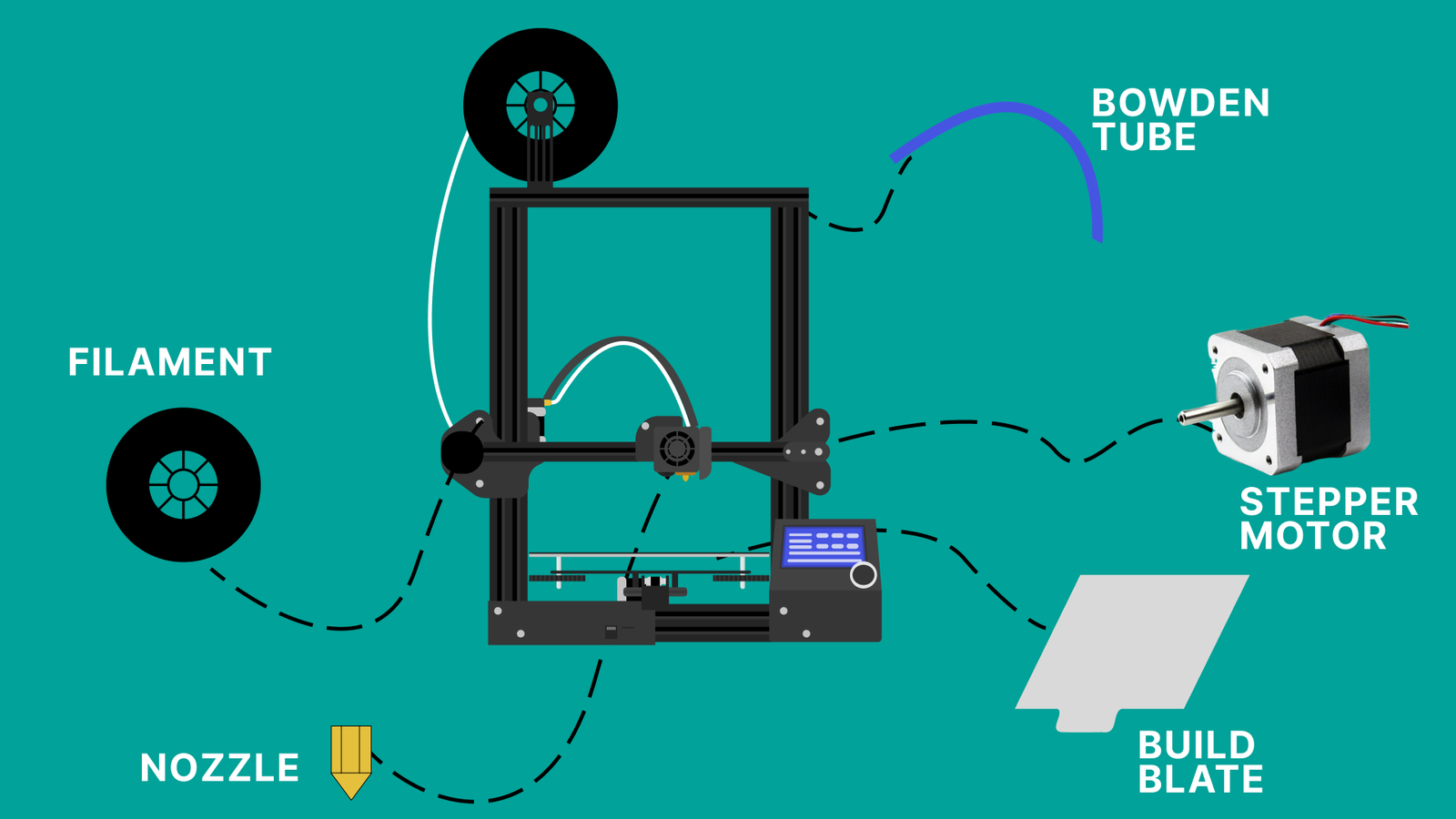
Introduction
So, you’ve just bought your first 3D printer, or perhaps you are eyeing one online. You’re excited to start creating, but then you hit a wall of text filled with acronyms like FDM, STL, and G-Code. It can feel like learning a foreign language.
Don’t worry—you aren’t alone. Every maker starts here. Understanding the lingo is the first step to mastering the craft. In this guide, we break down the 10 basic 3D printing terms that will take you from a confused novice to a confident creator.
1. FDM (Fused Deposition Modeling)
If you bought an affordable home printer, it is almost certainly an FDM machine.
What it is
FDM stands for Fused Deposition Modeling (sometimes called FFF or Fused Filament Fabrication). Imagine a highly precise, computer-controlled hot glue gun. The printer melts plastic material and lays it down in layers, one on top of the other, to build an object.
Why it matters
Knowing you have an FDM printer helps you troubleshoot issues and buy the correct materials. It is distinct from Resin (SLA) printing, which uses liquid plastic and lasers.
2. Filament
While a standard inkjet printer uses ink cartridges, an FDM 3D printer uses filament.
What it is
Filament is the thermoplastic feedstock used to print objects. It comes spooled on a reel and looks like thick wire.
Common Types for Beginners
-
PLA (Polylactic Acid): The most popular choice. It’s biodegradable, smells sweet like cornstarch when melting, and is very easy to print with.
-
PETG: A bit stronger than PLA and heat resistant, but slightly harder to use.
-
ABS: Very strong (think LEGO bricks), but requires high heat and good ventilation.
Pro Tip: Start with PLA filament. It is the most forgiving material for learning the ropes.
3. Slicer
You cannot just send a 3D model directly to the printer. You need a middleman, and that is the Slicer.
What it is
A slicer is a piece of software (like Cura or PrusaSlicer) that takes your digital 3D model and “slices” it into thousands of thin horizontal layers. It then generates the code that tells the printer exactly where to move the nozzle.
Why it matters
The Slicer is where the magic happens. This is where you set the temperature, speed, and size of your print.
4. STL (Standard Triangle Language)
When you look for files to print on websites like Thingiverse or Printables, you will be looking for STL files.
What it is
An STL file is the industry-standard file format for 3D printing. It represents a 3D object by covering its surface with tiny triangles.
Why it matters
Think of an STL file like an MP3 file for music. It is the raw digital data of the object you want to hold in your hand. You import the STL into your Slicer to prepare it for printing.
5. G-Code
If the STL is the music file, G-Code is the sheet music the musician reads.
What it is
G-Code is the actual file format your printer reads (usually ending in .gcode). It is a long list of coordinates and commands that tells the motors exactly where to move and how fast to push the plastic.
Why it matters
You generally don’t write G-Code yourself; your Slicer creates it for you. However, knowing what it is helps you understand that the file on your SD card is just a set of instructions.
6. Extruder and Hotend
These two terms are often used interchangeably by beginners, but they are different parts of the print head.
-
The Extruder (The Muscle): This is the motor and gear system that grips the filament and pushes it through the tube.
-
The Hotend (The Heat): This is the metal tip where the filament is melted. It contains a nozzle (usually brass) that deposits the molten plastic onto the bed.
7. Build Plate (Print Bed)
The Build Plate is the flat surface where your object is printed.
What it is
Usually made of glass, magnetic steel, or special plastic surfaces (PEI), the build plate is the foundation of your print.
Key Concept: Bed Leveling
For a print to stick, the nozzle must be the perfect distance from the build plate across the entire surface. If your bed isn’t “level” (trammed), your print will fail. This is the #1 struggle for beginners!
8. Layer Height
This is one of the most common settings you will adjust in your slicer.
What it is
Layer height determines the thickness of each horizontal layer the printer lays down.
-
Standard: 0.2mm (Good balance of speed and quality)
-
High Detail: 0.12mm (Smoother surface, takes longer)
-
Draft: 0.28mm (Fast, but you can see the layer lines)
9. Infill
One of the best things about 3D printing is that you don’t have to print solid plastic bricks. You can use Infill.
What it is
Infill is the internal structure of your print. Instead of being solid, the inside of your model usually consists of a geometric pattern (like a honeycomb or grid).
-
0% Infill: Hollow
-
20% Infill: Standard (Strong enough for most toys/models)
-
100% Infill: Solid plastic
10. Supports
Gravity exists, even in 3D printing. This brings us to Supports.
What it is
You cannot print plastic into thin air. If your model has an overhang (like the chin on a statue or the outstretched arm of a character), the Slicer will generate scaffolding called “supports.”
Why it matters
These are temporary structures printed alongside your model to hold up overhanging parts. Once the print is finished, you break the supports away to reveal the final shape.
Conclusion
3D printing is an incredibly rewarding hobby, but the learning curve can be steep. By mastering these 10 basic 3D printing terms, you are already ahead of the pack. You now understand how the machine works (FDM/Extruder), what to feed it (Filament), and how to prepare your files (Slicer/STL).
Ready to start your first print? Grab some PLA, level that build plate, and happy printing!
Frequently Asked Questions (FAQ)
Q: What is the easiest 3D printer material for beginners?
A: PLA is widely considered the easiest filament to use because it prints at lower temperatures and doesn’t require a heated enclosure.
Q: Do I need to know how to design 3D models to use a 3D printer?
A: No! You can download thousands of free STL files from community websites like Thingiverse. You only need to learn 3D modeling if you want to create custom unique parts.
Q: Why is my printer spitting out plastic spaghetti?
A: This usually means your print detached from the Build Plate. Ensure your bed is level and clean before trying again.